
Quick Start Guide
Get your first payment processed through the payment gateway.
Prerequisites
- A verified merchant account on the platform
- Access to your application's backend to handle API calls
Step 1: Create a Payment Application
Log in to your merchant dashboard and create a payment application:
- Navigate to Payment Applications in the dashboard
- Click Create New Application
- Enter your application name, webhook secret, callback URL, and currency whitelist
- Save and note your Client ID
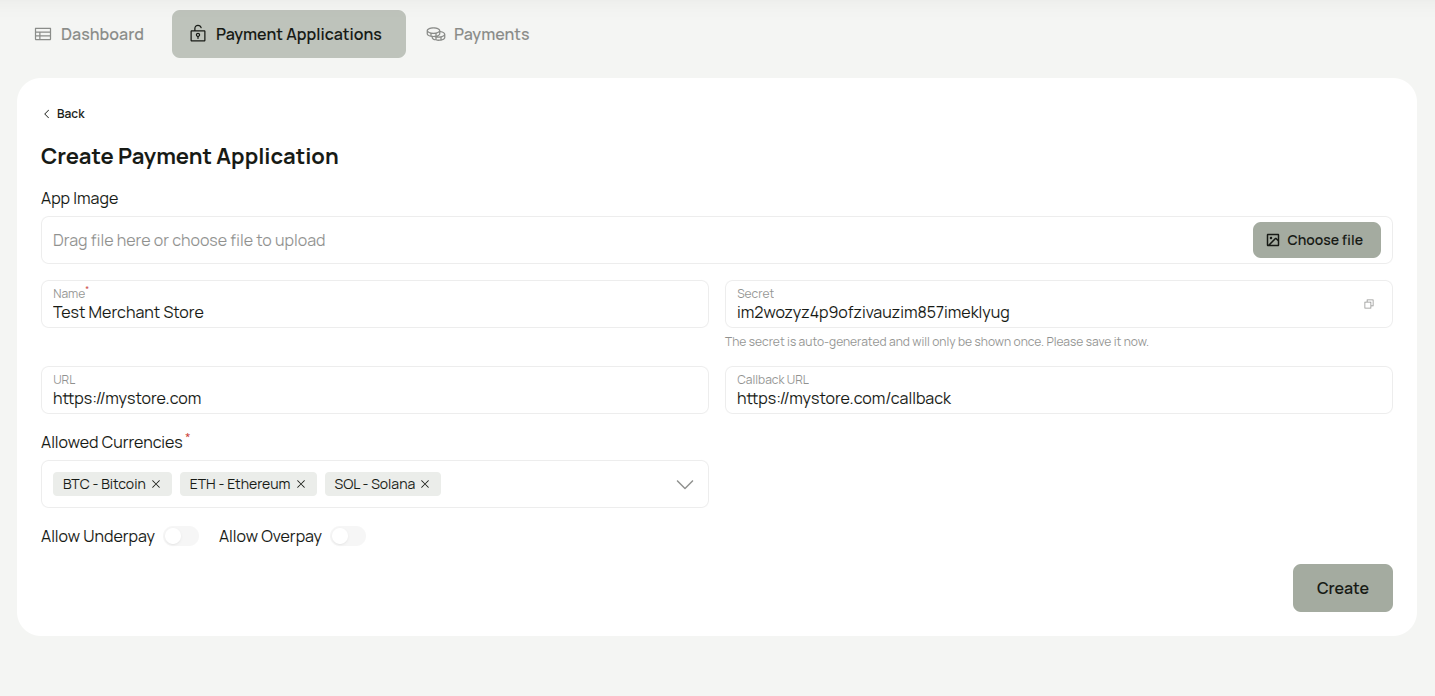
Important: The Secret is auto-generated and only shown once during creation. Copy and store it securely — you will need it to verify webhook signatures.
Step 2: Create a Client Token
You need a Bearer token for server-to-server API calls:
- Navigate to your payment application
- Click Create API Access Token
- Enter a label, optional expiration date, and select the scopes you need (at minimum
payments.create) - Save the token immediately — it is only shown once
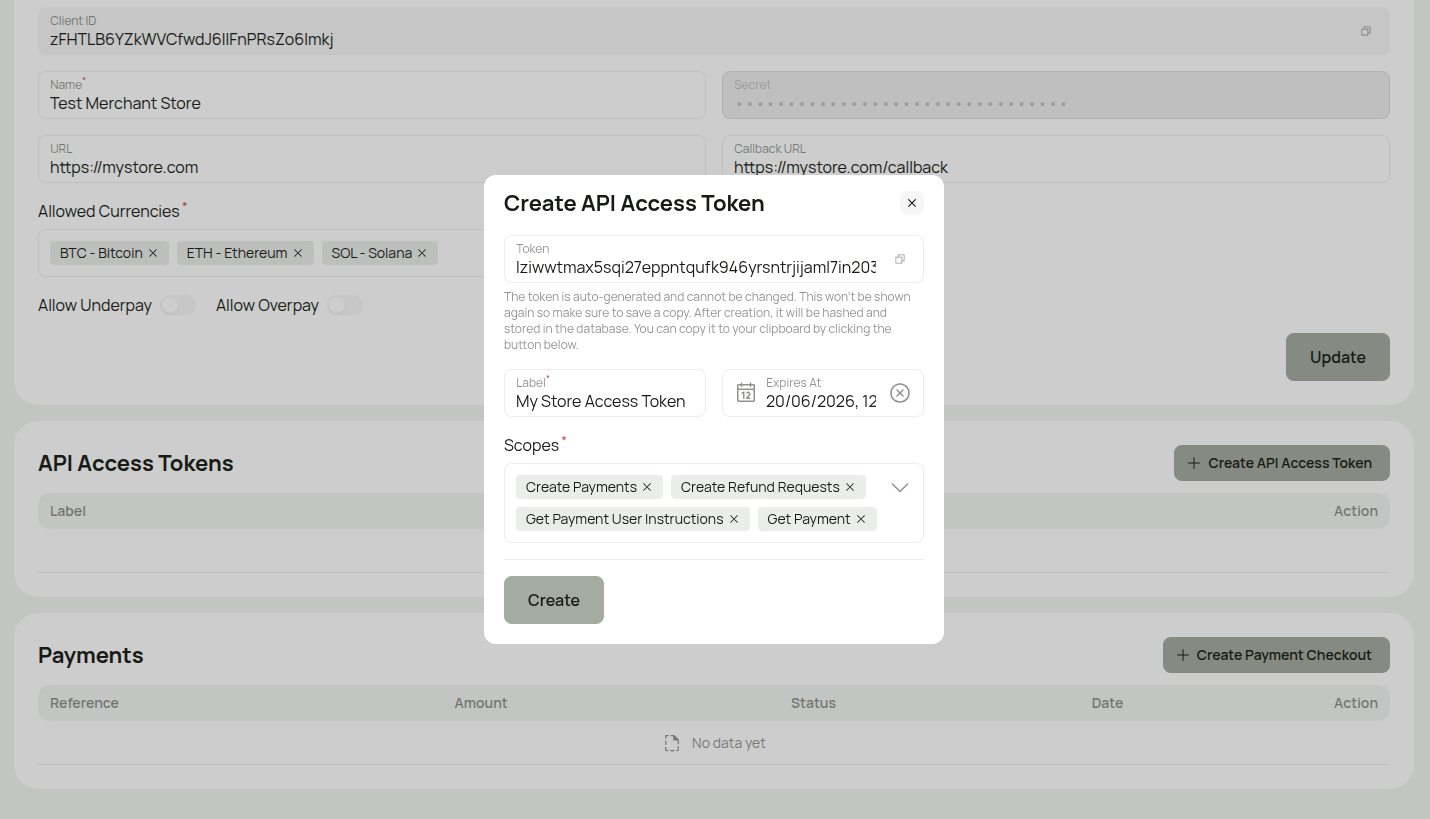
Important: The Token is only shown once. After creation, it is hashed and cannot be retrieved. Copy it immediately using the copy button.
See Authentication for details on token types and scopes.
Step 3: Create Your First Payment
curl -X POST https://api.yourdomain.com/api/payment/checkout \
  -H "Authorization: Bearer YOUR_CLIENT_TOKEN" \
  -H "Content-Type: application/json" \
  -d '{
    "amount": 10000,
    "currencyCode": "USD",
    "reference": "ORDER-123",
    "referenceLabel": "Order #123",
    "clientId": "your_client_id_here",
    "redirectUrl": "https://yoursite.com/success"
  }'
Response:
{
  "data": {
    "checkoutUrl": "https://yourdomain.com/checkout/550e8400-...?expires=1234567890&signature=..."
  }
}
Redirect your customer to the checkoutUrl to complete payment. See Create Payment for full parameter reference and code examples in Node.js, Python, and PHP.
Step 4: Set Up Webhooks
To get notified when payments are completed, configure your webhook endpoint. See the Webhook Setup guide for implementation details and code examples.
Your endpoint must:
- Accept POST requests
- Verify the HMAC-SHA256 signature (see Webhook Security)
- Return a 2xx response within 10 seconds
What's Next?
- Configure currencies — set up which cryptocurrencies to accept
- Handle errors — implement proper error handling
- View API reference — explore all available endpoints